How to create HubSpot – Odoo bundle using Zapier?

Improve the efficiency of your CRM with our HubSpot-Odoo integration guide. Make sure seamless contact integration for better workflow and increased reliability.
Creating an Odoo contact when a new contact is created in HubSpot using Zapier.
How the integration works:
Zapier monitors your HubSpot account for new or modified contacts. When a new contact is added, it copies the information from the HubSpot contact and creates a new contact in Odoo.
- Creating a Zap. While on the “Dashboard” tab, select the “HubSpot” and “Odoo” applications and click the “Make a Zap” button:

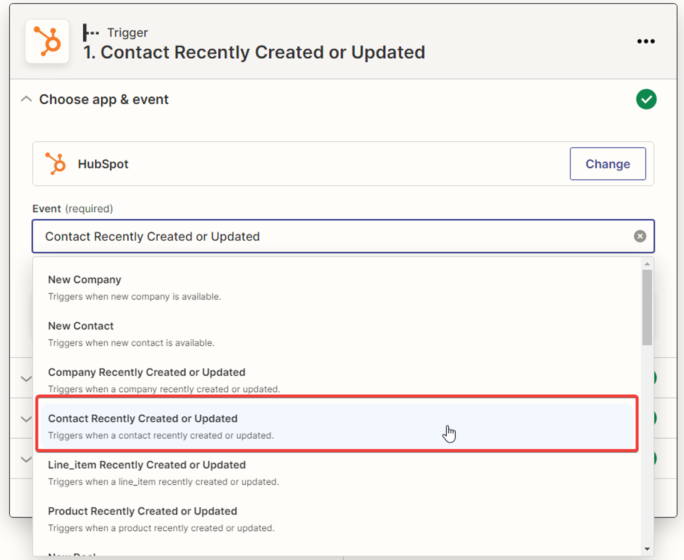
2. Choosing the trigger event. This event, occurring in the trigger application, signals Zapier to initiate the Zap. Select “Contact Recently Created or Updated” from the drop-down list and click “Continue“; the trigger will activate when a new contact is created in HubSpot.
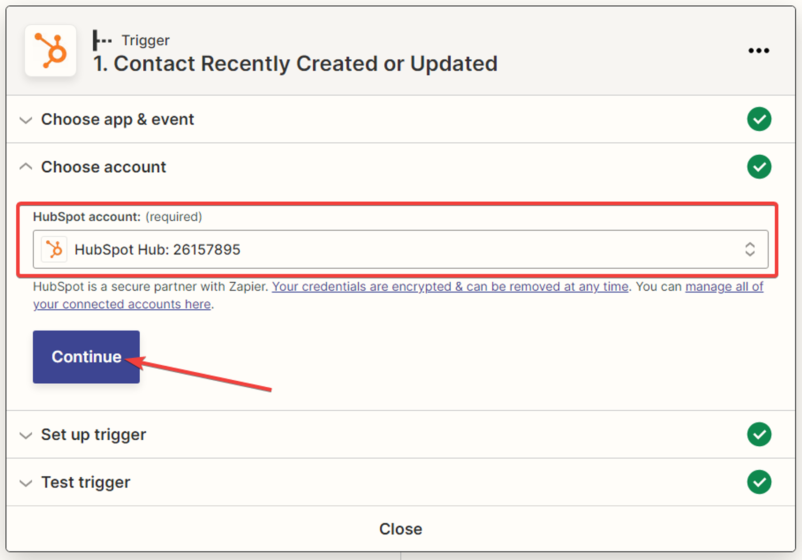
3. Next, you need to specify the “HubSpot” account and click the “Continue” button.
4. Next, you need to set up the provided trigger settings for “HubSpot” by clicking the “Continue” button.
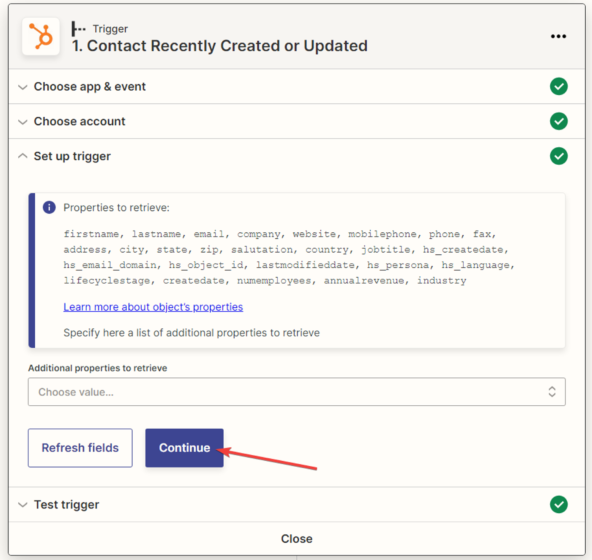
5. The next step is to test the created trigger by clicking the “Test trigger” button.
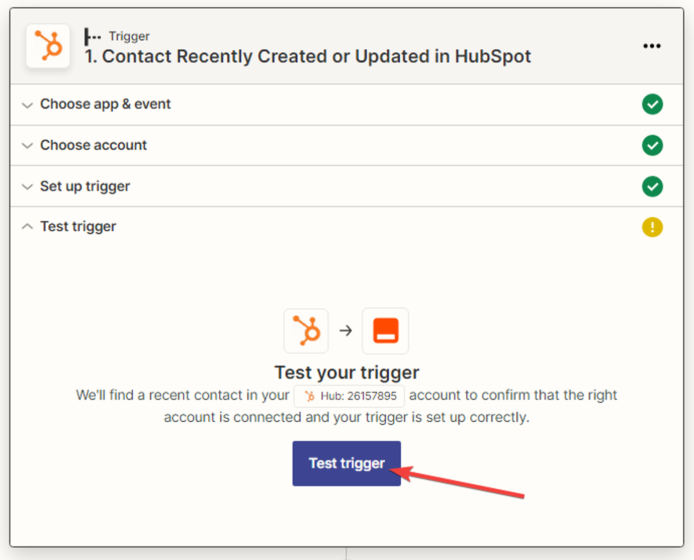
6. A notification appears indicating that the data has been found. Click the “Continue” button.
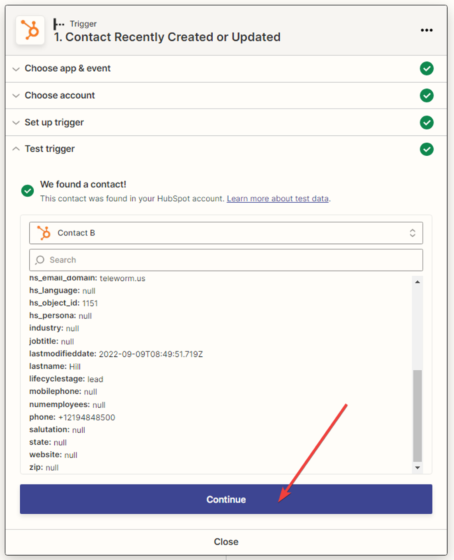
7. Setting up the data reception in the “Odoo” service. In the next window, you need to specify the action that will be performed when creating new leads in the “Trello” application. From the drop-down list, choose the only available option, which is “Create Lead”, and click “Continue”.
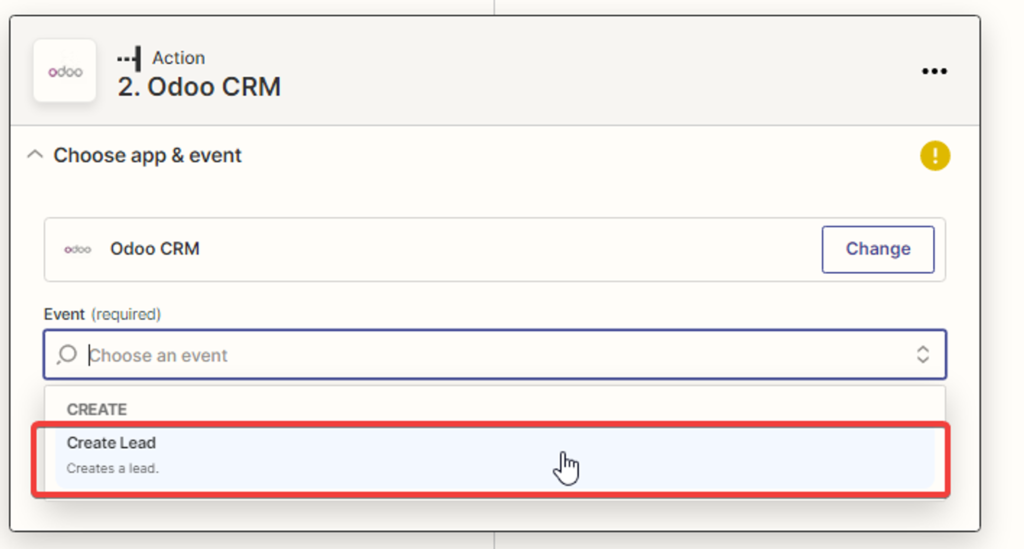
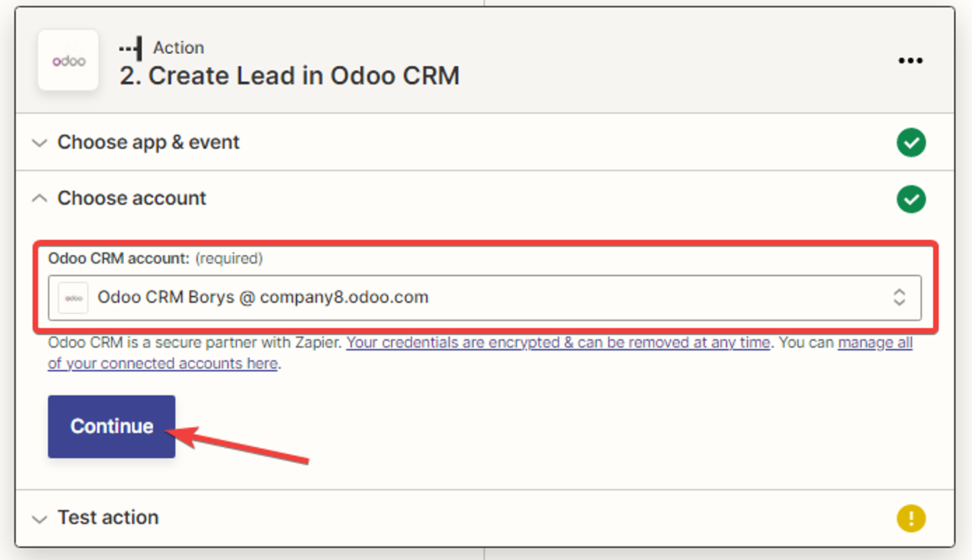
8. Next, you need to select the “Odoo” account and click the “Continue” button.
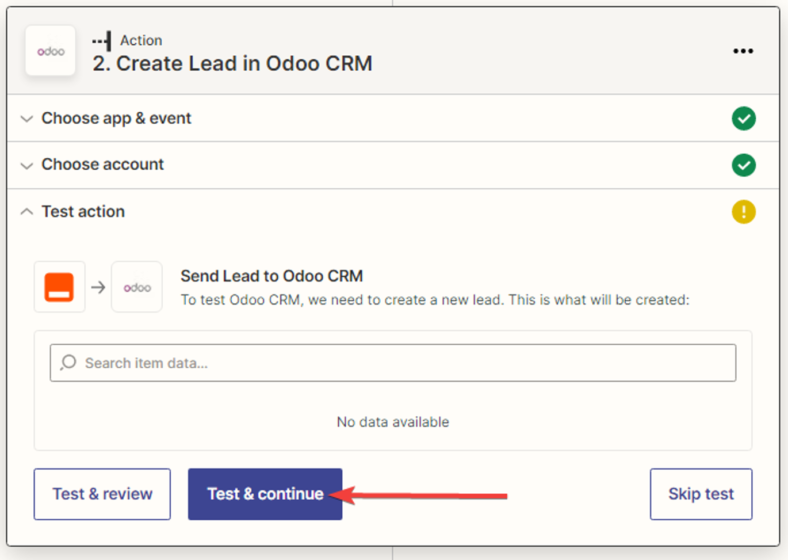
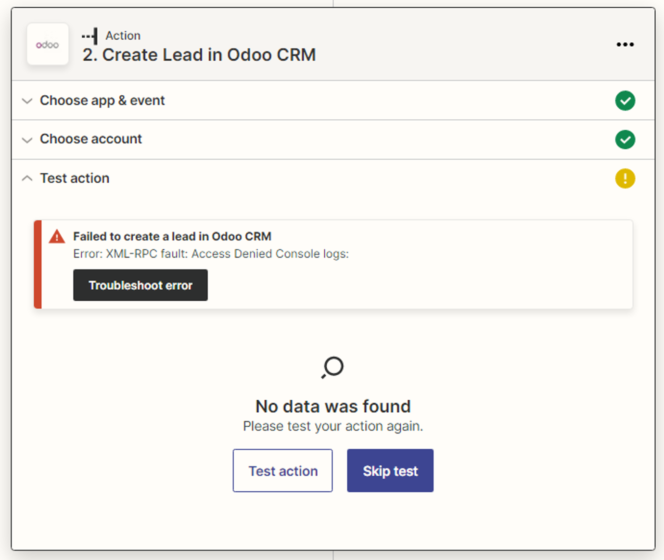
9. You need to test the action.