How to create Shopify – HubSpot bundle using Zapier?

Learn how to integrate Shopify and Zoho CRM using Zapier with our guide on mastering e-commerce. Hand over leads to sales and make sure no prospect was skipped. Attract your customers easy!
Adding new Shopify customers to HubSpot as contacts
To enable integration with these platforms, you need to have a Zapier Professional plan.
How the integration works:
- Someone makes a new purchase in the Shopify store.
- Zapier creates a new contact in HubSpot.
Requirements:
- Shopify account
- HubSpot account
- Creating a Zap. While on the “Dashboard” tab, select the “Shopify” and “HubSpot” applications and click the “Make a Zap” button:

Setting up the trigger event
2. Select the trigger event. This event, occurring in the triggering application, signals Zapier to initiate the Zap. Choose “New Customer” from the dropdown list and click “Continue”; the trigger will activate when a new contact is added to the “Shopify” account.

3. Next, you need to specify the “Shopify” account and click the “Continue” button.

4. Next, you need to test the trigger by clicking the “Test trigger” button.
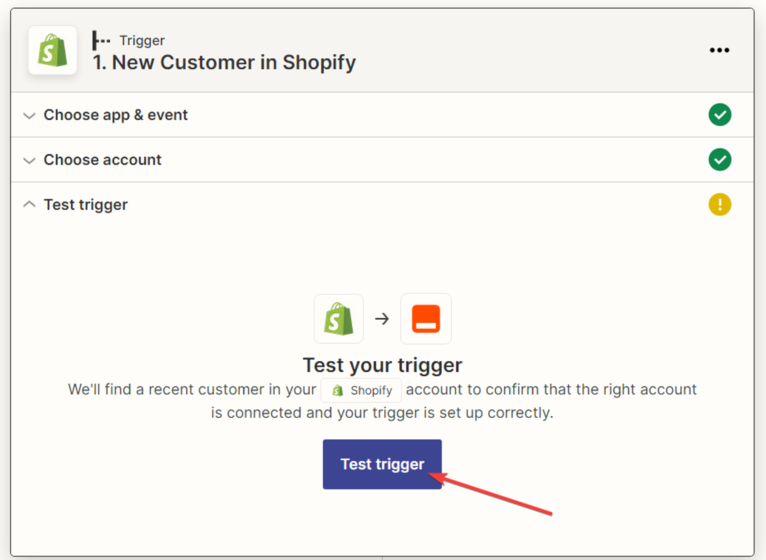
5. The next step is for the system to find the customer and display all the information available in the customer’s profile. Click the “Continue” button.

Setting up the action in the “HubSpot” service
- In the next window, you need to specify the action that will be performed when a new customer is added to the “HubSpot” application and click “Continue”.

7. Next, you need to select the “HubSpot” account and click the “Continue” button.

8. Next, you need to set up the connection between the “Shopify” and “HubSpot” applications. Fill in the fields where data should be imported, using variables from the dropdown list. After filling in all the required fields, click the “Continue” button.
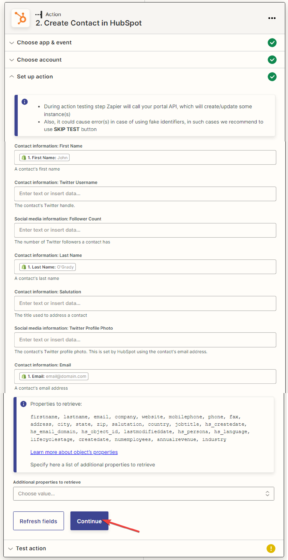
9. Next, you need to test the connection between “Shopify” and “HubSpot”.
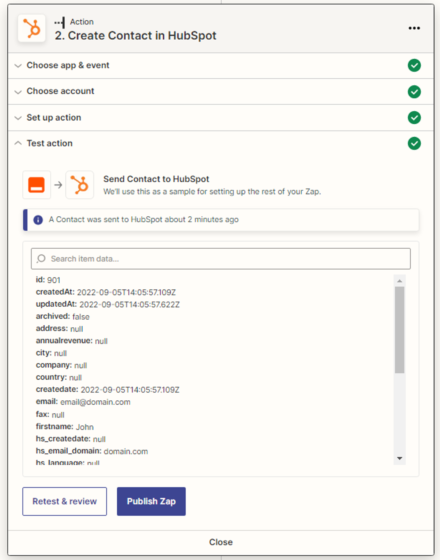
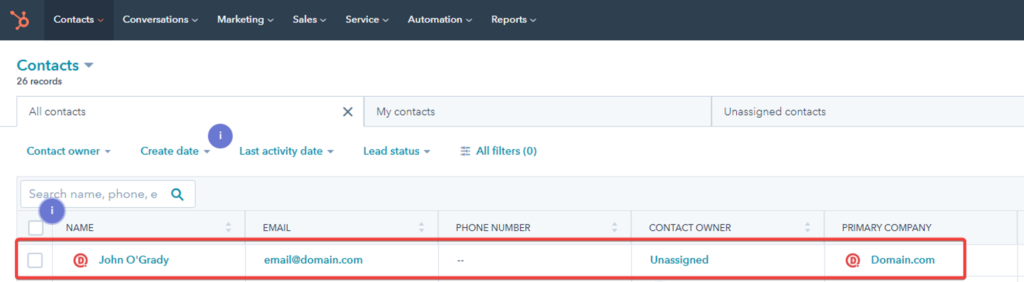
10. We check the test data on the “HubSpot” service in the “Contacts” tab.
11. After a successful test, click the “Publish Zap” button.

The Zap is created, configured, and activated.