How to integrate Asana – Trello bundle using Zapier?

Say goodbye to manual board creation and hello to automated efficiency for your business. Asana and Trello integrations with Zapier can help your work process!
Creating a Trello Board when a New Project is added to Asana using Zapier.
How the integration works: Zapier monitors your Asana account for new projects. Whenever you add a new one, Zapier copies the project’s name and notes, using them to create a new Trello board.
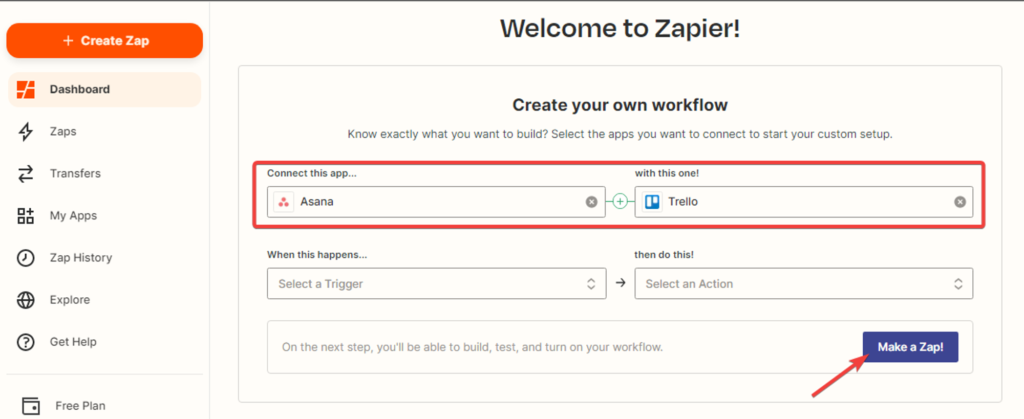
1. Creating a Zap. On the “Dashboard” tab, select the “Asana” and “Trello” applications, and click the “Make a Zap” button.
2. Selecting the trigger event. This event, which occurs in the trigger application, signals Zapier to initiate the Zap. Choose “New Project” from the dropdown list and click “Continue.” The trigger will activate when new projects are created in Asana.

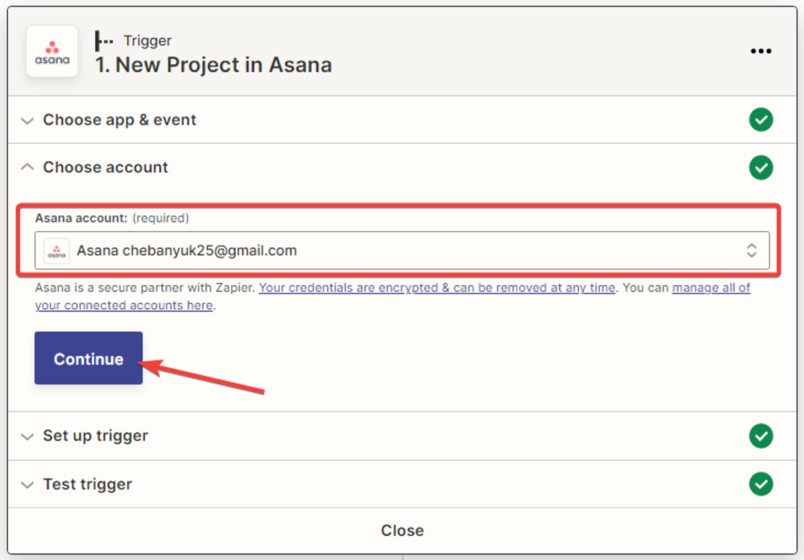
3. Next, you need to select your Asana account and click “Continue.”
4. After that, you need to specify the trigger settings by choosing the workspace (organization) and clicking “Continue.”

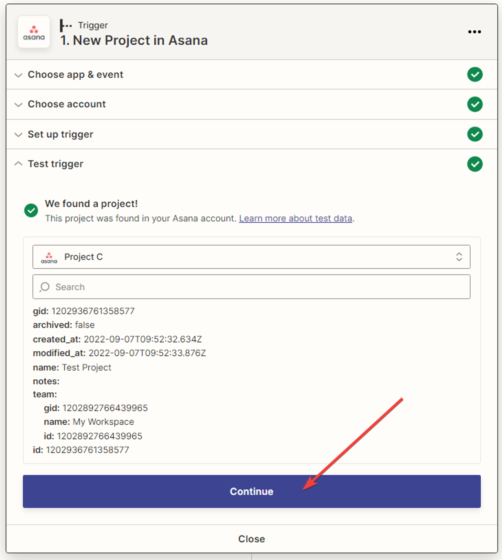
5. The next step is to test the created trigger, then click the “Continue” button.
6. Setting up the data reception in the “Trello” service. In the next window, you need to specify the action that will be performed when new projects are created in the “Trello” application and click “Continue.“

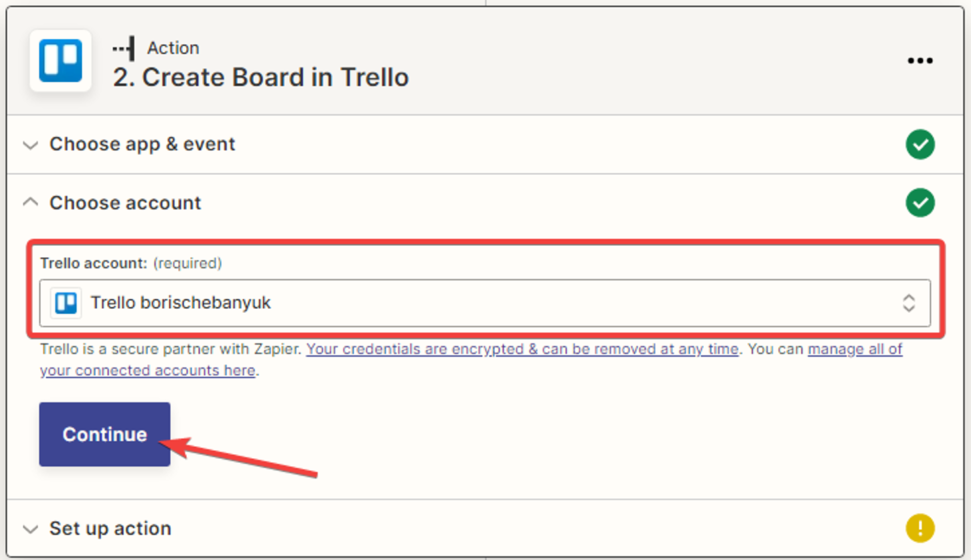
7. Next, you need to select the “Trello” account and click the “Continue” button.
8. Next, you need to configure the action in “Trello” by filling in the fields. In the “Organization” field, you need to specify the name of the Trello workspace. In the remaining fields, assign variables from the provided list, then click the “Continue” button.
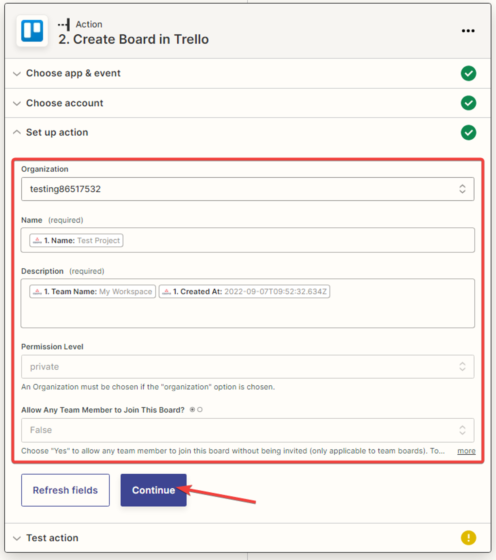
9. You need to test the connection between “Asana” and “Trello“.

10. In the next window, you’ll see a notification that the board has been created in “Trello“.
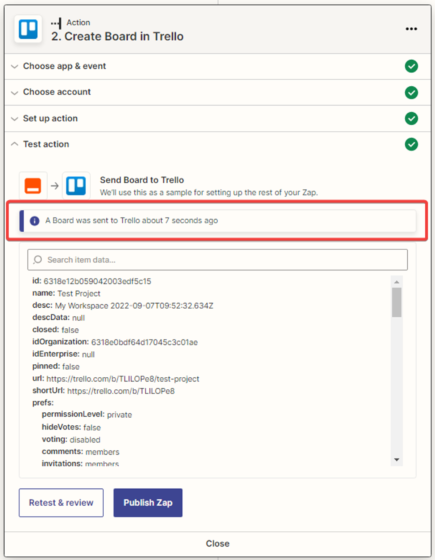
11. Check the test data in “Trello“.
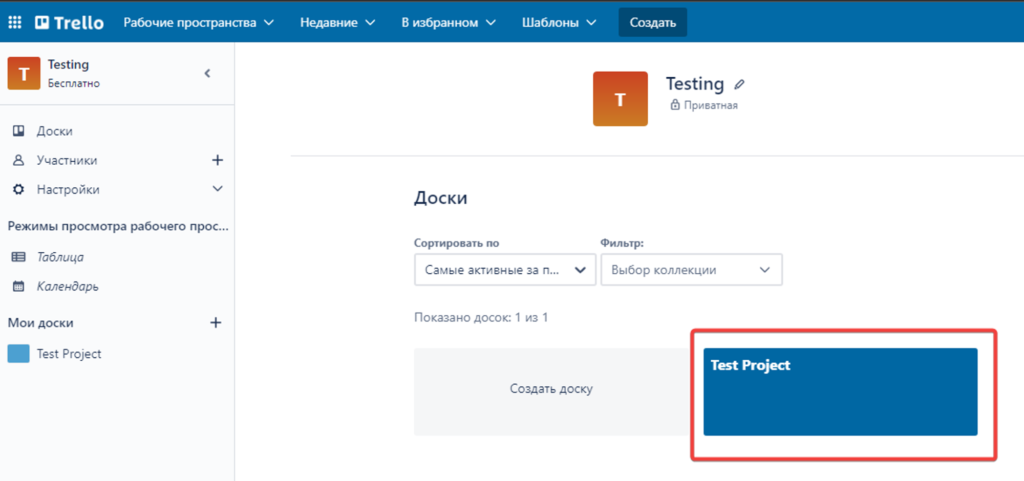
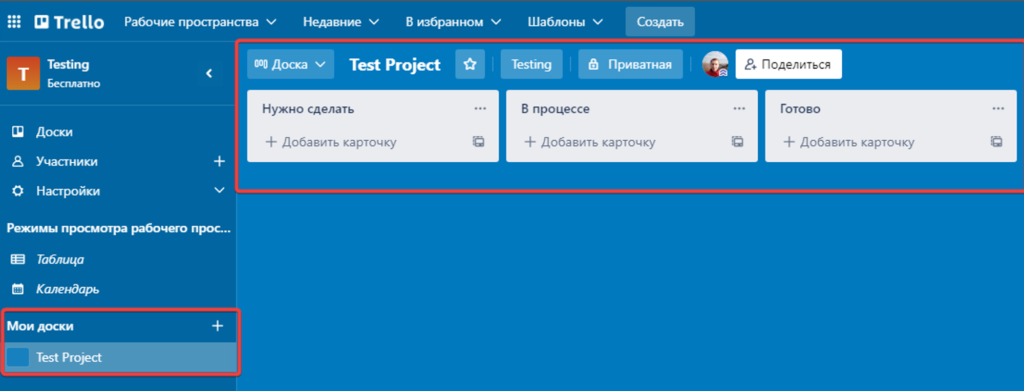
The board has been created.